Admin Panel
Dev URL: https://admin-dev.tokenise.io
Technology
The Admin Panel is built using React and Next.js, and is fully separated from the main Investor Website and other services.
This separation allows us to:
- Deploy and update admin tools independently from the investor-facing application
- Keep operational and internal logic isolated from public front-ends
- Apply stricter access controls and security rules specific to admin users
Authentication & SSO with Microsoft Entra ID
All authentication for the Admin Panel is centralized via Microsoft Entra ID.
- Only users who have a valid Entra ID account can access the Admin Panel.
- When an admin logs in, the Admin Panel uses Entra ID to authenticate the user and obtain an access token.
- The Admin Panel then uses Backend-Core to further validate and authorize the user for broker-specific permissions.
- This effectively gives us a central SSO layer for all admin access.
Benefits of using Entra ID and a central SSO:
- Stronger security: authentication, MFA, and conditional access policies are managed centrally in Entra ID.
- Centralized access control: we do not need separate local accounts for each panel; access is managed in one place.
- Better user experience for admins: one identity to sign in to multiple internal tools, instead of separate logins for each system.
For more information about Microsoft Entra ID and how to add users, see:
Microsoft Entra ID - Managing Users and Access
Role in the Overall System
Currently, the Admin Panel manages and displays data that comes from Backend-Core.
It is focused on:
- operational visibility (who the investors are, what actions they perform)
- configuration and management of certain broker features
- providing a central UI for internal teams (support, ops, product, etc.)
As the platform evolves, more features and internal tools will be exposed through this Admin Panel.
Active Menus & Features
Roles
Even though roles are defined in Entra ID, the Admin Panel provides a more detailed layer of permissions:
- Roles are synced or mapped from Entra ID.
- For each role, additional permissions and granular access rules can be configured in the Admin Panel.
- This allows us to combine central identity (Entra ID) with application-level permissions (in Backend-Core and Admin Panel).
Localization
Both the Admin Panel and the Investor Website are fully multi-language.
The Localization section allows us to:
- Manage translations and labels used across the admin UI and investor UI.
- Define and edit keys, texts, and language-specific content.
- Keep all language data in one place instead of hardcoding strings in the codebase.
This makes it much easier to support multiple languages and update wording without redeploying the apps.
Investors
This section lists all VERO users who have interacted with the system at least once (i.e. have logged in via the Investor Website and reached the broker).
- Each row represents an investor known to the broker.
- Data is loaded from Backend-Core, which links VERO identities (veroId) to broker-level records.
This is mainly used for:
- internal review of investor base
- support and operations
- cross-checking user status with other services (KYC, deposits, etc.)
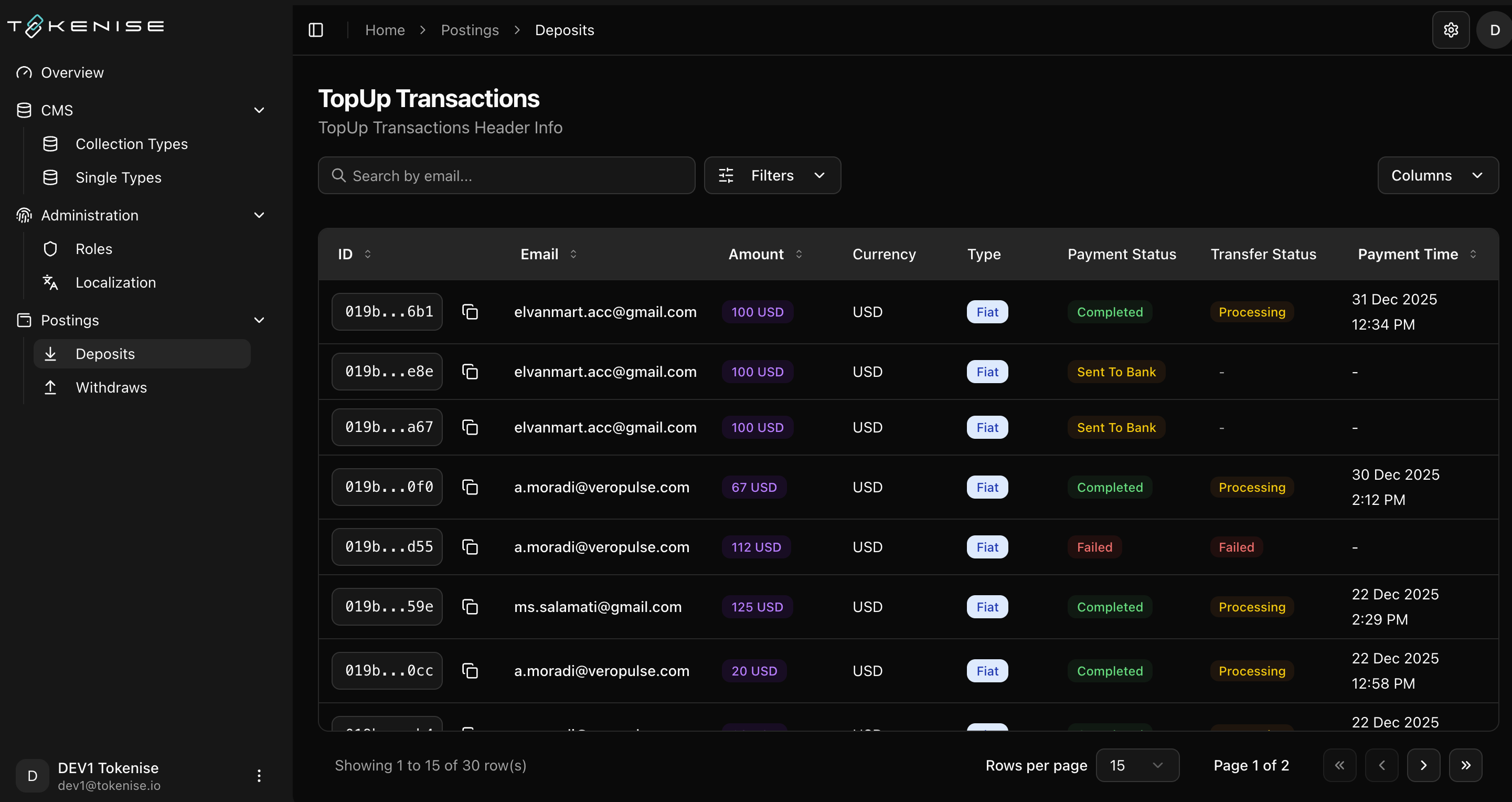
Deposits
This section shows all deposit requests made by investors.
- Deposits are initiated by users (e.g. via Investor Website) and handled by PayBlock / Backend-Core.
- The Admin Panel provides an overview of these requests for internal monitoring and future operational tools.
(Additional actions and filters can be added here as the deposit flows become more complex.)